I’m going to post Photoshop Tutorials Links here daily from now on. I think daily links to the best tutorials online would add value to this site. Well here goes:
 This tutorial is a nice photoshop pixel art 101. If you have always wondered how to get the lines thin enough or how to add basic textures and colors to pixel art then check this tutorial out. [ Read ] [ Mirror ] note: Try to keep your pixel art consistent. In this tutorial, the writer adds non-pixelish trees and grass and shadows and smudges to the final image and in my opinion that doesn’t work too well for the over all image.

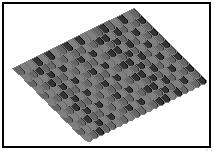 After going through the previous tutorial you should checkout the pixel texture tutorial. I really enjoyed this tutorial and I think it’s perfect. [ Read ]
 Here is another high quality tutorial that will help you create a very realistic looking mechanical pencil. You will learn about gradients, blending options and layer effects by following this tutorial. [ Read ]
 This is the first tutorial by InterfaceUniversity.com. It teaches you how to achieve a chrome pipe effect. They are off to a great start and I look forward to their future tutorials. [ Read ]
This was the first Daily Tutorial Roundup. I’m going to post one everyday with the highest quality tutorials that I can find!
Thanks for reading. As always comments are very welcome! 🙂
Definitely believe that which you said. Your favorite justification seemed to be on the
internet the simplest thing to be aware of.
I say to you, I certainly get irked while people think about
worries that they plainly don’t know about. You managed to hit the nail upon the top as well as defined out the whole thing without having side effect , people could take a signal. Will likely be back to get more. Thanks
This is my first time go to see at here and i am actually pleassant to read everthing
at one place.
Wonderful beat ! I wish to apprentice while you amend your web site,
how can i subscribe for a blog site? The account helped me a
acceptable deal. I had been tiny bit acquainted
of this your broadcast offered bright clear idea