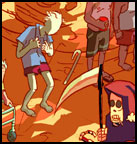
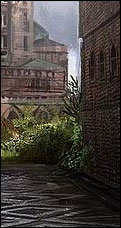
 Prepare your selves for having your socks blown off. Infact, tie up your sock drawer as well because that’s about to burst open as well. This is the link to the amazing artist, John Wallin Liberto. If you keep up with digital artists on the internet you already know about him. If not then here is an excerpt from his site about him:
John Wallin is a freelance artist/illustrator operating in Stockholm,Sweden. He has worked on computer games, feature films, and television projects. Currently hes doing concept design and production illustration for Epic Games’ upcoming release: Gears of War (makers of Unreal and Unreal Tournament).
The thumb nail on this post is of a painting John Wallin created for the upcoming game called Gears of war. You simply HAVE to go to his site ( click here! ) and then click on galleries. Click on his Gears of War gallery and then prepare to be left breathless.
Yes, folks. Everything you see there was created in Adobe Photoshop (the program thats probably sitting open on your computer right now). He has worked on Harry Potter Movies, Ridick, and now he’s working on Gears of War.
I will see if I can find any tutorials posted by him somewhere and then post them here 🙂
Artist: John Wallin Liberto
Web Site: http://www.johnwallin.net/
 Here is a very useful and simple tutorial by Debbie Grossman. You will learn about two important things. A technique that results in good photographs and a quick way of implementing it using masks!
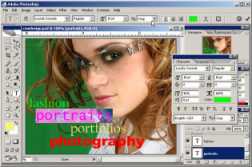 Creative Cow Leader Franklin McMahon shows layout design techniques including color schemes, font selection and alignment.
 Some Digital Photography Tips and Tricks have been