 If you want to crop an image then you use the Crop Tool. Just click on it and then click and drag and it will make a selection. This is what will remain. You are selecting what ever you want to keep. The rest of the image darkens indicating that it will be removed. Then press the Enter/Return key and it will crop your image.
You can Resize your selection by placing your mouse pointer on an edge of the selection made by the crop tool. You will see a double arrow pointer. Click and drag and it will resize your selection. ALT/OPTION drag it and it will constrain the proportions of your selection.
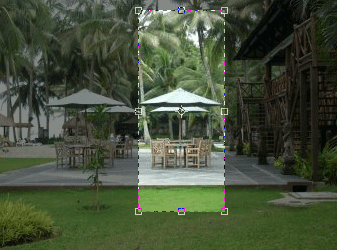
You can change the position of your selection by placing your mouse pointer in the middle of the selection and dragging.
You can rotate the selection my putting your mouse on the corners of your selection till you see a curved arrow. Then click and move your mouse in a circular direction and it will rotate your selection. Press Enter and it will crop
Pingback: free online poker games
Pingback: las vegas hotels
Pingback: credit