 Finally, an indepth preview of the new Aperture software by Apple. However, this is not an actual review because the guys who wrote it haven’t actually tried the program out… they’ve just asked the Apple guys a whole lot of questions. All the data they collected has been gathered up, refined and finally presented to us.
Basically, the article tells us:
- Aperture doesn’t mess with the original images so your originals are always safe and can never ever be over written (unless you really really want to I assume)
- A section called the Library is where you will gather all your photographs. The library will worry about all the photo organizing and will not trouble you with extra stuff. Theoretically the library can hold an infinite number of images but you know thats not true since you’ll be capped by your computers hardware
- You can partition your Library into Projects which can be exported or imported back in
- It is meant to be used by only one photographer. You can’t have profiles for multiple photographers.
- It creates automatic backups in to a place called the Vault
- It is mainly for use with RAWs but also supports PSDs, JPEGs, TIFFs etc.
- Uses its own algorithms to convert RAW images (to increase the speed) instead of relying on software development kits (SDKs) from Canon, Nikon etc. This might be bad because this may decrease image quality but Apple assures us that this is not the case and that the RAW conversions are optimized for most popular cameras
- Works with Automator (which can be applescripted) to do lots of advance batch stuff.
- The colours that flow through Aperture’s colour managed printing pipeline to the printer driver are impacted by four things, beyond the colours in the picture itself: the profile selected, the rendering intent, black point compensation and gamma. This is just how Photoshop handles printing
Basically, it is mainly competing with Capture One PRO and its wins in some areas and loses in others.
How will this affect us Photoshoppers? In my opinion, we have nothing to lose. Photoshop has nothing to worry about because all Aperture is doing is provide an easy to use program for computer illiterate photographers who get lost in programs which have more than 10 buttons (no offense to anyone).
What Photoshop users should expect, however, are improvements in Photoshop. Adobe will be watching closely and if they like what Aperture is doing as far as workflow management and ease of use goes then they will implement it into Photoshop and improve on it. This is a good time to be a Photoshopper 😀
Read the complete preview by clicking here.
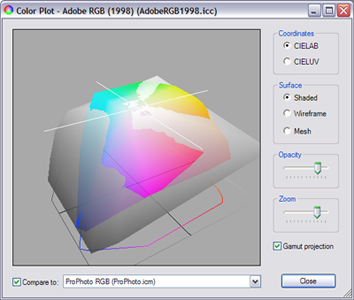 I have always used the Adobe Color Management control panel to calibrate my monitors. Apparently, I’m going to have to try something else tonight when I get home.